
WUSA9 News
TEGNANews & Magazines
4.5526.00 Reviews
- Version
- 50.23.2
- Installs
- 100.00K
- Age Rating
- Everyone
Screenshots
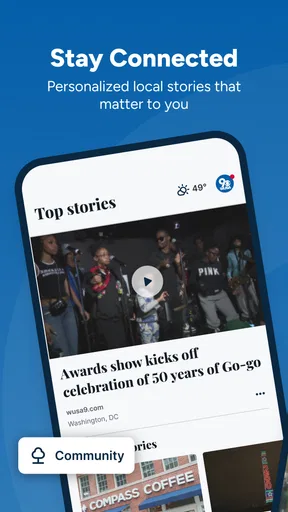
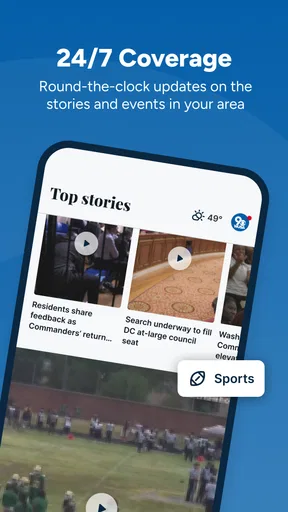
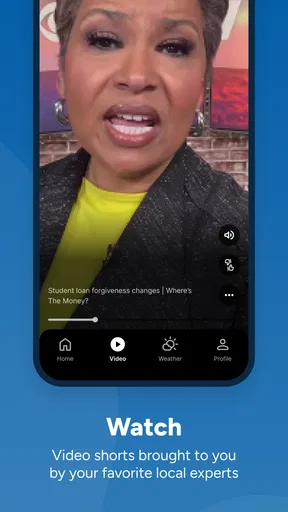
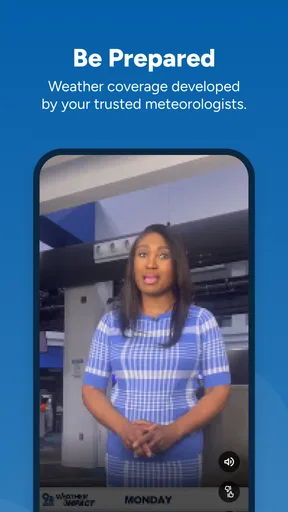
Our Review of WUSA9 News
 Analysis by Appyee
When I want a quick view of what is happening around Washington, DC, Maryland, and Virginia, I prefer a local news app that gets me to the useful information without making me sort through a national feed first. That is where WUSA9 News fits. It is a free News & Magazines app from TEGNA, built around regional reporting and weather rather than broad, general-interest coverage.
After spending time with it, I see the app as a practical companion for people who live in the area, commute through it, or have family and work connections there. It is not trying to replace every news source on a phone. Its value is more focused: it gives local developments and weather a prominent place, which can save time when the information that matters most is tied to a particular county, road, neighborhood, or forecast.
The app has an average rating of 4.5 from around 1.8 thousand ratings, with more than 100 thousand installs. Those figures suggest a solid audience without making the app feel like an anonymous mass-market reader. It is rated for Everyone, costs nothing to download, and supports Android 7.1 or later. The current version is 50.23.2, so it is accessible even on some older Android devices.
How I use WUSA9 News in a normal day
My baseline workflow is simple. I open the app when I need a local update, scan the main headlines, and move toward either the story itself or the weather information. That sounds basic, but it is exactly the point: a local news application is most useful when it reduces the number of steps between opening the phone and understanding what is happening nearby.
In the morning, I would use it as a regional briefing rather than a complete national news reader. I can check whether overnight events affect the Washington area, look at the forecast before leaving, and then return later if a developing story changes the situation. This is more efficient than opening a national app, searching for the region, and filtering out stories that have no practical effect on my day.
A realistic example is a commute from Maryland into Washington, DC. Before leaving, I would check the local headlines and weather together. If the forecast looks unsettled, the weather portion becomes the first stop; if there is a major local development, the news feed gives me context. I would still use a dedicated navigation app for live route decisions, but WUSA9 News can help explain why a trip may be affected instead of merely showing a delay.
The same workflow works for someone in Virginia who wants local information without following several separate accounts on social media. Social feeds can be fast, but they are also noisy and inconsistent. A local news app gives me a more deliberate place to read the story, rather than relying on a short post that may lack background or change as events develop.
I also like the distinction between checking and reading. I can open the app for a quick glance, but I can also stay with a story when the subject deserves more attention. That makes it suitable for two different habits: short visits during a busy day and longer reading when I want to understand a regional issue.
What to check before making it your main local source
The first practical question is whether you actually need Washington-area coverage. If you live outside DC, Maryland, and Virginia and only want occasional national headlines, this app may feel too narrow. Its focus is its strength for local users, but that same focus makes it a poor substitute for a broad news aggregator.
The second question is whether you want news and weather in one place. For me, that combination is convenient because weather is often the reason I open a local app in the first place. I can move from a forecast check to a regional story without changing apps. Someone who already has a preferred weather service and only wants investigative or national reporting may find less reason to keep this one installed.
The app is free, which lowers the barrier to trying it. I would still approach it as one part of a personal information routine, not as the only source for every important decision. For severe weather, travel disruptions, public safety matters, or time-sensitive instructions, I would compare the app’s coverage with official local notices and other reliable sources.
The most useful habit is to treat the app as a local starting point, not an all-purpose replacement for every information service. That keeps expectations realistic and makes its regional focus work in its favor.
Settings and habits worth checking
Experienced users should spend a little time reviewing the app’s available settings instead of accepting the default experience without thought. The exact choices can vary by device and app release, so I would look through the notification controls and decide which alerts deserve immediate attention. A phone that announces every update can become distracting, while a phone that blocks everything defeats the purpose of timely local coverage.
My preferred approach is selective attention. I would keep notifications useful for significant local developments or weather-related information, while avoiding a constant stream of minor updates if the controls allow that distinction. The goal is not to make the phone louder; it is to make the alerts meaningful enough that I do not start ignoring them.
It is also worth checking how the app behaves with your phone’s text size, display scaling, and battery settings. These are not special WUSA9 features, but they affect the reading experience. Larger text can make longer stories easier to follow, while aggressive background restrictions may delay notifications. If timely alerts matter to you, the system’s battery management is worth reviewing rather than assuming the app is at fault.
On an older Android phone, I would be especially deliberate about keeping the app focused. The minimum operating system requirement is Android 7.1, which is helpful for users who do not own a recent device, but performance can still depend on the handset and the rest of the installed software. Closing unnecessary background activity and keeping enough storage available can make everyday use feel more dependable.
I would also decide where the app belongs on the home screen. If local news is part of your morning routine, placing it beside your weather and calendar tools reduces friction. If you only open it during major events, keeping it in an easy-to-find folder may be better than allowing it to compete with daily essentials.
Faster patterns for repeat users
The quickest workflow is to give each visit a purpose. Instead of opening the app and scrolling without a plan, I would ask one question first: am I checking the forecast, looking for a local development, or reading a story I already started? That small distinction prevents endless browsing and helps the app remain useful during short breaks.
For a morning check, I would scan the top local headlines, look at weather, and stop once I know whether anything affects my plans. For a midday visit, I would look for changes rather than reread everything. In the evening, I might use the app for deeper reading when I have time. These three patterns make the same application feel less repetitive because each visit has a different job.
Another useful habit is to open stories from the headline list rather than relying on snippets alone. A short headline may tell me what happened, but the article is where I can understand location, timing, and context. This matters particularly for local stories, where a nearby event may affect one community but not another.
I would use the phone’s normal Android shortcuts as part of the workflow. A home-screen placement, recent-app switching, and system text controls can make the app faster to reach and easier to read. I would not claim these are exclusive functions of WUSA9 News, but they are practical ways to make a regional news routine more consistent.
There is also a useful trade-off between alerts and manual checking. Alerts are valuable when I genuinely need to know about developments quickly, but manual checking gives me more control over attention. If I am working or studying, I would rather choose a couple of deliberate check-in times than allow every notification to interrupt me. If I am following a developing local situation, I might temporarily allow more alerts and then reduce them once the situation settles.
For families, the app can be a shared reference point during weather changes or local events. One person can check the regional update while another handles travel planning or school communication. It does not replace official instructions, but it can provide a useful news context before everyone decides what to do next.
Where the app reaches its limits
The main limitation is scope. A local news app cannot give me the breadth of a national aggregator, the depth of a specialist publication, or the precision of a dedicated traffic tool. If I want worldwide headlines, financial analysis, sports from many leagues, or a large collection of publications in one feed, I would choose a broader service instead.
Weather is another area where expectations matter. Having weather alongside local news is convenient, but I would not automatically treat a news app as a replacement for a specialized weather application during serious conditions. A dedicated weather tool may offer more detailed maps, longer-range views, or specialized alerts. WUSA9 News is better understood as a convenient local information hub than as a complete forecasting workstation.
There is also a concentration risk in relying on one publisher. TEGNA provides the app, and its editorial focus is valuable for regional coverage, but I would still compare important stories with official sources and another reputable outlet when accuracy or immediate action matters. This is not a criticism unique to this application; it is a sensible habit for any single-source news routine.
Users who dislike notifications, reading on a phone, or region-specific coverage may not enjoy the experience. Likewise, someone looking for an ad-free, highly customizable news dashboard should first consider whether a traditional local app matches that preference. The free price is appealing, but “free” does not mean every reader will prefer its presentation or workflow.
The age rating of Everyone makes it suitable for a broad audience, but that does not mean every story will be comfortable or relevant for every person. Local news naturally covers serious events as well as routine updates. I would use notification controls and personal judgment if I wanted to limit interruptions or avoid receiving alerts at certain times.
Who will get the most from it
I would recommend WUSA9 News most strongly to residents of Washington, DC, Maryland, and Virginia who want a straightforward local source on Android. It is also useful for commuters, students, relatives of people in the region, and anyone who needs a quick sense of local conditions before making plans.
It suits readers who value convenience over building a complicated collection of separate apps. The combination of regional news and weather means I can cover two common daily needs in one place. Its free access also makes experimentation easy: I can try it as a secondary source without committing to a subscription.
I would be more cautious about recommending it to someone outside the region, a reader who wants international coverage first, or a person who depends on advanced weather and traffic tools. Those users may be happier with a broader news reader or a specialized service. The right choice depends less on the rating than on whether the app’s geographic focus matches daily life.
My final assessment after building a routine around it
WUSA9 News works because it keeps its purpose clear. I can open it for regional headlines, check weather, read a local story, and leave with a better understanding of what may affect my day. That focused workflow is more valuable than a crowded feed when my real question is, “What is happening near me?”
I would not use it as my only source for national news, detailed forecasts, navigation, or official emergency instructions. Those are situations where another service may be better. But as a free local news and weather app for the Washington area, it earns a place on my phone because it supports repeatable habits without demanding much setup.
The best way to use it is to keep notifications intentional, give each visit a clear purpose, and verify high-stakes information elsewhere. With those habits, the app becomes less of a passive headline stream and more of a practical regional checkpoint. For the people it is designed to serve, that is a convincing reason to install it.
My verdict is positive, with the geographic limitation clearly in view. If your everyday life connects to DC, Maryland, or Virginia, I would recommend trying WUSA9 News as a local complement to the other tools you already use. It is approachable, free, suitable for Everyone, and developed by TEGNA with a clear regional role. If your needs are broader or more specialized, choose a wider news platform instead; if they are local and practical, this app is a sensible starting point.
Verdict
Strengths of WUSA9 News
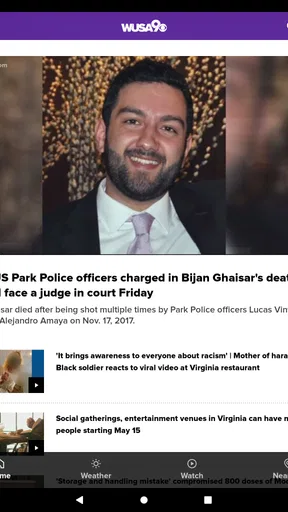
- Fast access to breaking news across the Washington, D.C. area.
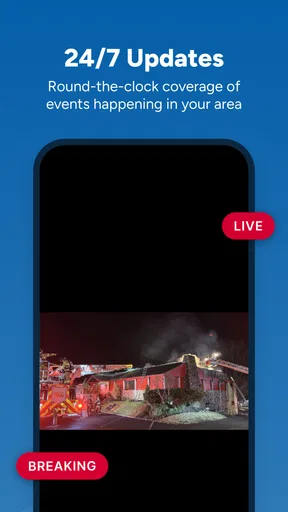
- Useful live video coverage during major local events and emergencies.
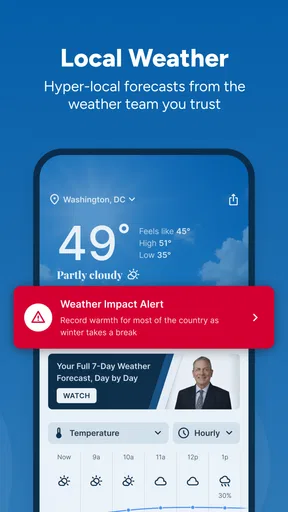
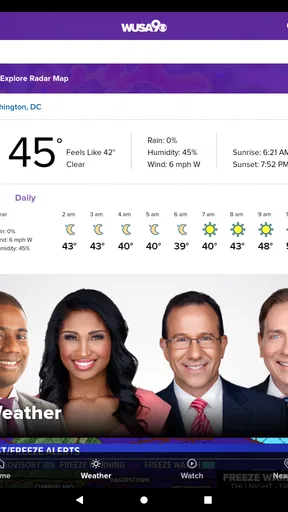
- Weather forecasts include radar, alerts, and severe-weather updates.
- Local traffic information helps with daily commuting decisions.
- Simple navigation makes headlines, videos, and updates easy to find.
Limitations of WUSA9 News
- Some stories may load slowly on weaker mobile connections.
- Frequent notifications can feel excessive unless carefully customized.
- Coverage is focused on the D.C. region and less useful elsewhere.
- Advertising may interrupt browsing and reduce the reading experience.
- Some features and content may require location access or permissions.
Other Releases by TEGNA
View All
WFAA - News from North Texas
News & Magazines4.2

KARE 11 News
News & Magazines4.2

Cleveland News from WKYC
News & Magazines4.2

Knoxville News from WBIR
News & Magazines4.6
Similar Picks in This Category
View All
Google News - Daily Headlines
Google LLC4.0

X
X Corp.4.8

Flipboard:Your Social Magazine
Flipboard3.4

Opera News: breaking & local
Opera4.5

Hindi News by Dainik Bhaskar
Dainik Bhaskar Group4.0

Way2News Daily News App
Way2News ( Formerly Way2SMS )4.6
Frequently Asked Questions
What is the WUSA9 News app?
WUSA9 News is a local news application focused on the Washington, D.C., Maryland, and Virginia area. It provides access to breaking news, weather forecasts, traffic updates, investigative reports, live broadcasts, and video clips. After exploring the app, I found it useful for keeping regional stories in one place, especially when users want quick updates during severe weather or major local events.
Can I watch WUSA9 live through the app?
Yes, the app generally offers live news coverage and streaming video when broadcasts or special reports are available. Access can depend on your location, broadcast rights, internet connection, and the station’s current programming schedule. Before relying on it for an important event, it is a good idea to open the live section and check whether the stream is currently active in your area.
Does WUSA9 News provide weather alerts and forecasts?
The app includes weather information designed for users in the Washington, D.C., Maryland, and Virginia region. You can typically view current conditions, hourly and extended forecasts, radar imagery, and severe-weather coverage. Notifications may also be available for significant weather events, although users should review notification and location permissions so alerts are delivered in a timely and relevant way.
Is the WUSA9 News app free to download and use?
WUSA9 News is generally free to download and use, allowing users to read articles, watch available videos, view forecasts, and follow local coverage without purchasing a subscription. However, the app may contain advertising, and some features can require an internet connection or location access. Mobile data charges may also apply when streaming live video or downloading media over cellular networks.
What permissions does WUSA9 News request, and are they necessary?
Depending on your device and the features you enable, WUSA9 News may request permissions for notifications, location, and possibly access related to media or analytics. Location access can improve local weather and regional content, while notifications help deliver breaking-news and severe-weather updates. You can deny optional permissions, but doing so may limit personalization or prevent certain alerts from working as intended.
